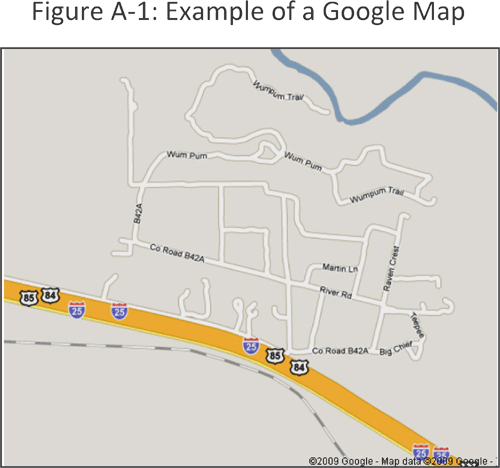
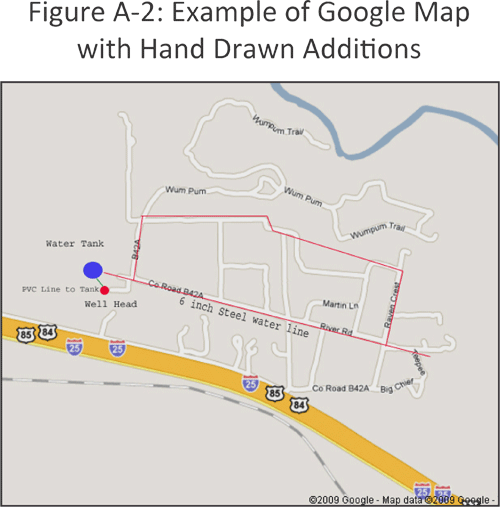
In addition to these websites, the United States Geological Survey (USGS) is a reliable and inexpensive source for maps. USGS maps can be found at sporting goods, surveying and travel stores. The best type of USGS topographic map to use for an asset inventory is the 7.5-minute topographic map. The 7.5-minute topographic map, with a scale of 1:24,000, is the largest-scale map available and offers the most detail. Each 7.5-minute topographic map is given a quadrangle name (also referred to as a quad name). This name is required in order to find a map of your specific area. There are index maps available through the USGS to help determine which maps are needed to cover your area. The one drawback in using USGS topographic maps is that rural areas are not updated as frequently as urban areas. However, the maps can provide a useful starting point in creating an asset map because they contain useful information such as the scale bar, contour lines, and latitude and longitude coordinate. Depending on the age of your utility, the USGS may have already mapped features such as the water tank or water well, since the USGS typically documents manmade features. Digital aerial photographs (also known as orthophotographs) may be ordered from USGS or can be accessed from TerraServer-USA. These maps are easy to print from a home computer. There are also data information research companies who specialize in researching aerial photographs. These companies will charge a research fee and the cost of the photographs. The utility can save this cost by doing the research using the following web sites.
- Microsoft Research Maps: http://msrmaps.com/default.aspx
- TerraServer.com: http://www.terraserver.com/
- TopoZone.com: http://www.topozone.com
- USGS Earth Resources Observation and Science (EROS): http://eros.usgs.gov/#/Home
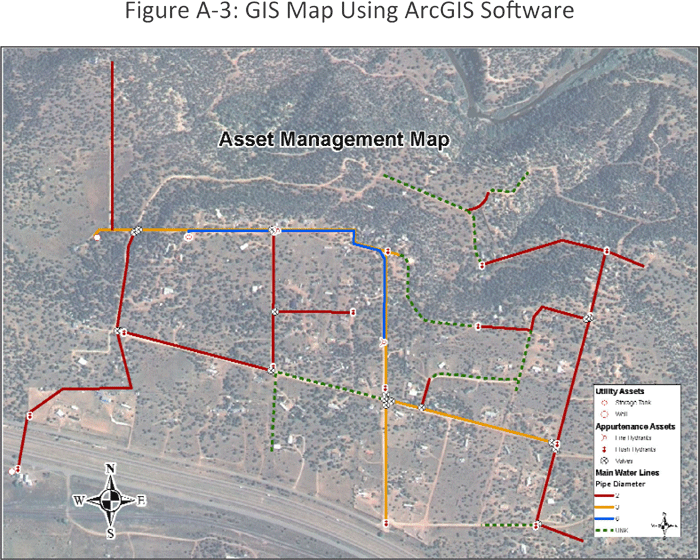
GIS maps using software packages, such as ArcGIS, require base data. This data can be generated internally, gathered through a GPS program, or it may be possible to download data from the internet. Some online resources for data downloads are shown below. An example GIS map is shown in Figure A-3.
One caution regarding downloading digital maps from the Internet is the file size. Most high quality digital maps available online have a very large file size and require a high speed Internet connection and a large hard drive to download and store successfully.
A.2 Asset Condition
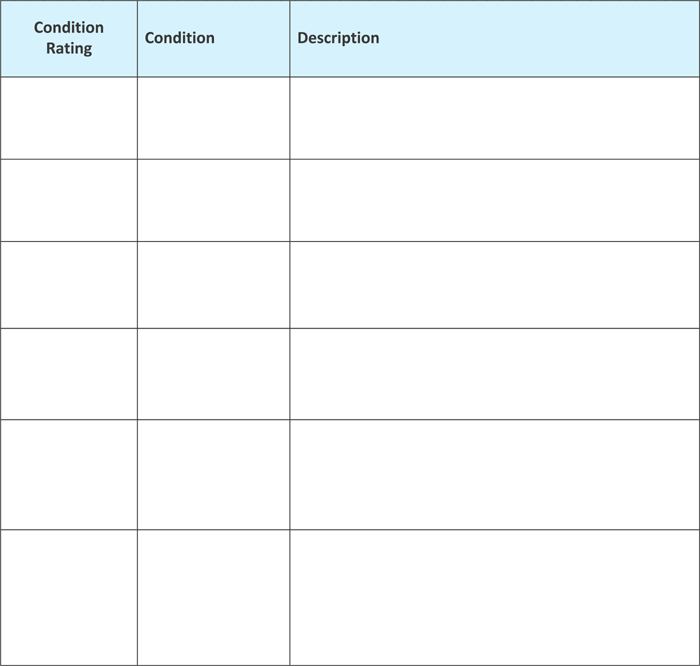
Chapter 3 described the need to have a condition assessment process for the assets. A model using a ranking of 0 to 5 was mentioned. This type of rating system is shown in the table below. A few other examples of different types of rating systems are also included. Following those tables is a blank table that can be used by the utility if it wishes to design its own condition assessment model. Just click the image to download a PDF, or go to Resources for editable versions.
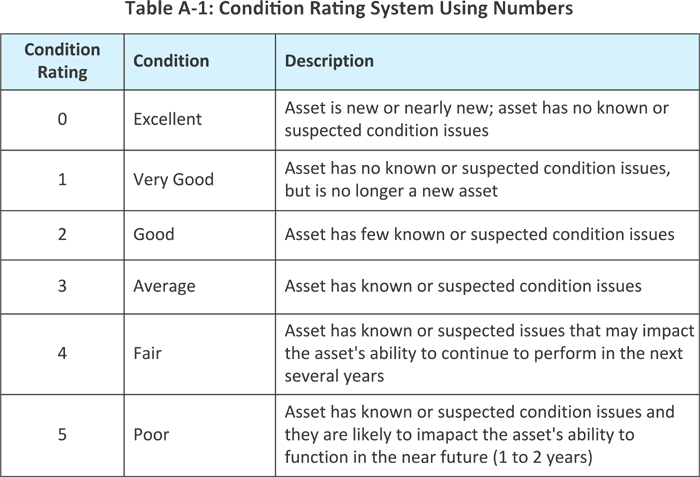
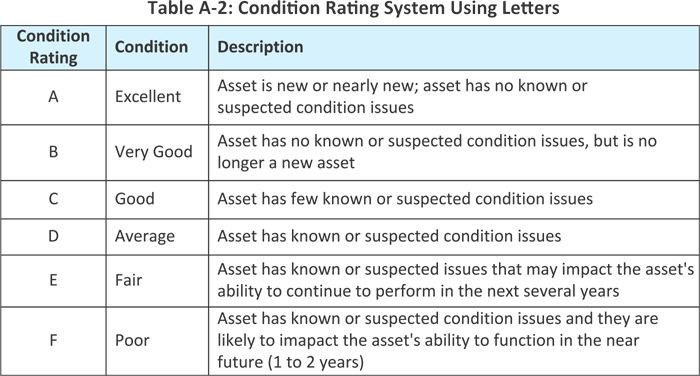
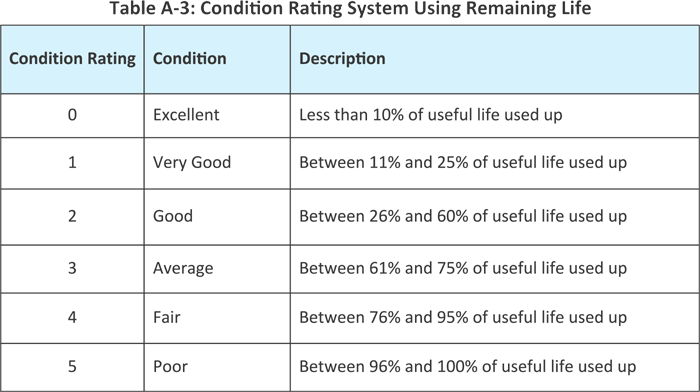
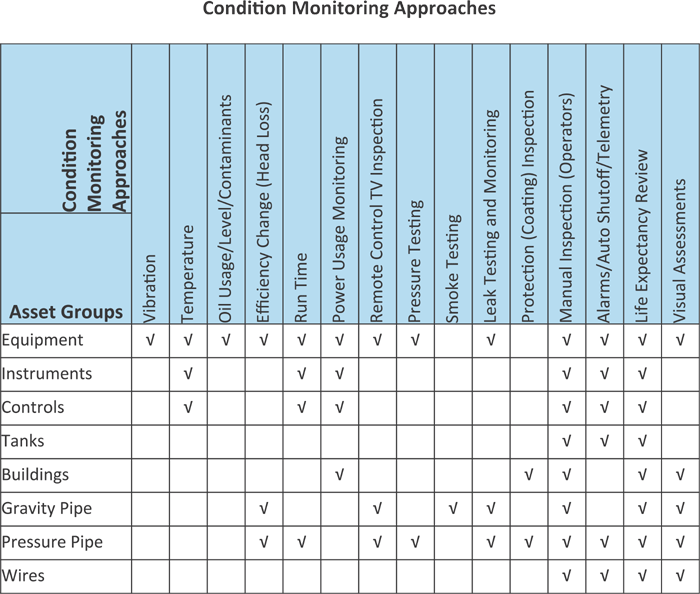
There are various ways that the condition of assets can be assessed. Visual inspections can be made of assets that can be seen. Other approaches can be used on different types of asset classes. The table below shows different condition monitoring approaches that can be used for various asset classes.
A.3 Assesing Useful Life
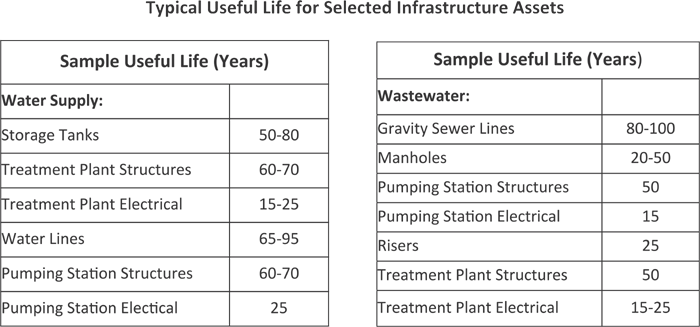
The table below provides a list of estimates for useful lives of different types of assets. These estimates can be used if no other information is available.
A.4 Energy Inventory
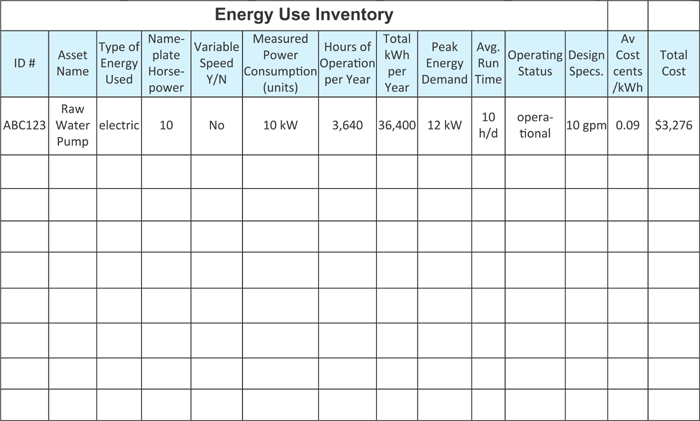
The energy inventory form can be used to collect data on energy usage. An example is shown below and a blank version of the inventory form is included for your use in collecting data. Just click on the image to download the pdf.
A.5 Asset ID Numbering Schemes
The energy inventory form can be used to collect data on energy usage. An example is shown below and a blank version of the inventory form is included for your use in collecting data. Just click on the image to download the pdf.
A few examples of numbering systems are presented below.
Example 1:
ABC-DEFG1234
ABC = Facility Designation (i.e., which pump station, well, treatment building, etc.)
DEFG = Equipment Type (i.e., description of the equipment, such as pump, blower, well)
1234 = Equipment Numbering
First Number = Process Number (primary treatment, secondary treatment, etc.)
Second through Fourth Numbers = equipment number
AP-PMP2001 is the Atlas Plant Pump in the Pretreatment Building, Number 001
AP = Atlas Pump
PMP = Pump
2 = Pretreatment
001 = Pump Number 1
Example 2:
A-BCD-EFG-123
A = Utility Type (water or wastewater)
BCD = Major Category (water – source, treatment, distribution; wastewater – collection, treatment, solids handling, discharge)
EFG = Equipment Type (i.e., description of the equipment, such as pump, blower, well)
123 = Equipment Number
W-TMT-FIL-034 is the Water Treatment Filter number 34
W = Water
TMT = Treatment
FIL = Filter
034 = Number 34
Example 3:
It is also possible to have a numbering scheme that is for a specific asset class, such as manholes.
M – 1234 – ABCD – 1234
M= Manhole
1234= House Address
ABCD = Street Abbreviation
1234 = Manhole Number
M-3201-MNTG-0345 is the Manhole near 3201 Montgomery Street, number 345
M = Manhole
3201 = Nearest House Number
MNTG = Montgomery Street
0345 = Manhole Number
A.6 Asset Inventory
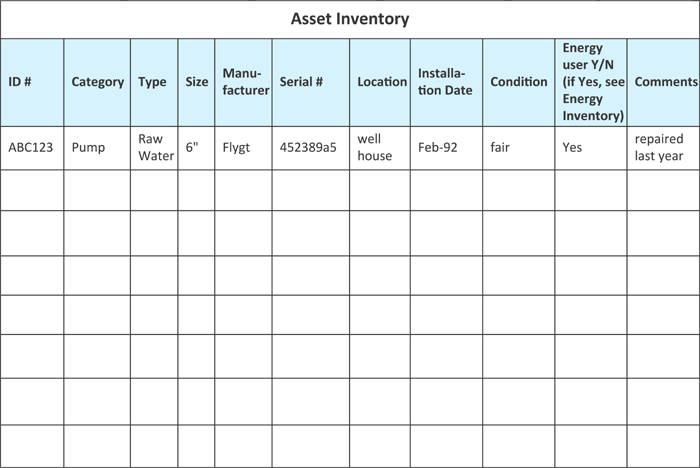
An asset inventory sheet is included here to assist with the collection of data for the asset inventory. This sheet contains only very basic data about the assets. The sheets are intended for very small utilities with few assets. Larger utilities should use more sophisticated data collection methods. A sample is shown below. Just click on the image to download the blank pdf.